For readers
Borrowing, holds & renewals
Reserve a book, join a queue, and renew what you've got, from a book's page and your account.
Once you’ve found a book, its page is where you borrow or reserve it. What the button says depends on whether a copy is free.
Reserve a copy
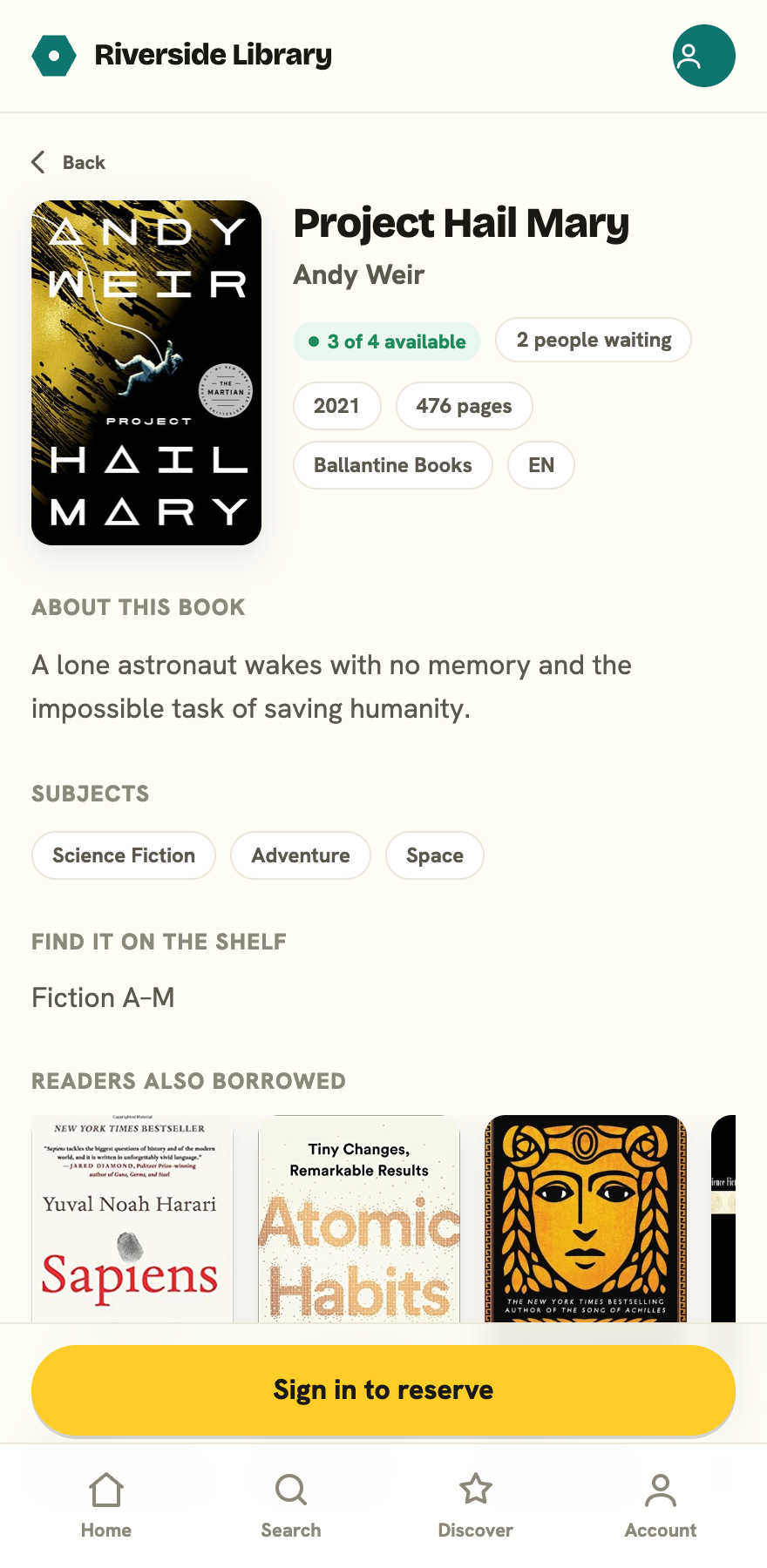
Open a book. The button sits in the details, just under the title and availability:
- Reserve a copy when a copy is available. It’s set aside for you to collect.
- Join the holds queue when every copy is out. You’re added to the line and told your position.
- Sign in to reserve if you’re not signed in yet. Tap it to sign in with your email and password or with Google, and you’ll come straight back to the book. Whether you can create your own account depends on how your library lets readers join; see Signing in.
The page also tells you how many copies are available, how many people are waiting, and where to find the book on the shelf.
If you’re signed in but haven’t confirmed your email yet, reserving won’t go through: you’ll see a note asking you to confirm your email first. Check your inbox for the link, or resend it from your account. Signing in with Google confirms your email for you, so you can reserve straight away. Browsing the catalogue never needs a confirmed email.
Your holds
Open your account from the profile chip in the top right to see your holds. Each one shows its status:
- Ready to collect, when a copy is waiting for you.
- Position 3 in queue, when others are ahead.
- Paused, if you’ve put it on hold.
For holds you’re still queuing for, you can Pause one (handy if you’re away) and Resume it later, or Cancel it.
Renew a loan
Your account lists everything you have On loan, with due dates. Overdue ones are highlighted. Tap Renew to extend a loan. You’ll also get an email a few days before a book is due, and again the day before, so watch your inbox if you’re not sure what’s coming up.
You can renew up to the limit your library sets, and you can’t renew a book someone else is waiting on. If a renewal is refused, the app tells you why right there, usually because the book is on hold for another reader or you’ve hit your library’s renewal limit. A librarian can help if you still need it.