For librarians
Reading the reports
See your collection, usage, and demand at a glance, or just ask your library a question in plain English.
The Reports tab is the story you take to whoever funds the library: a collection that’s growing, books that get used, and demand worth acting on. No spreadsheets, no query writing.
Ask your library
At the top of the tab is Ask your library. Type a question in plain English, press Ask, and you get a short answer drawn from your library’s live numbers. Three examples sit under the box as one-click chips:
- “What were the most borrowed books in the last 90 days?”
- “How many books are overdue right now?”
- “Which titles are most in demand?”
The answer is grounded in the same figures the cards below show, so it never invents a number. If your data can’t answer the question, it says so plainly rather than guessing.
The numbers at the top
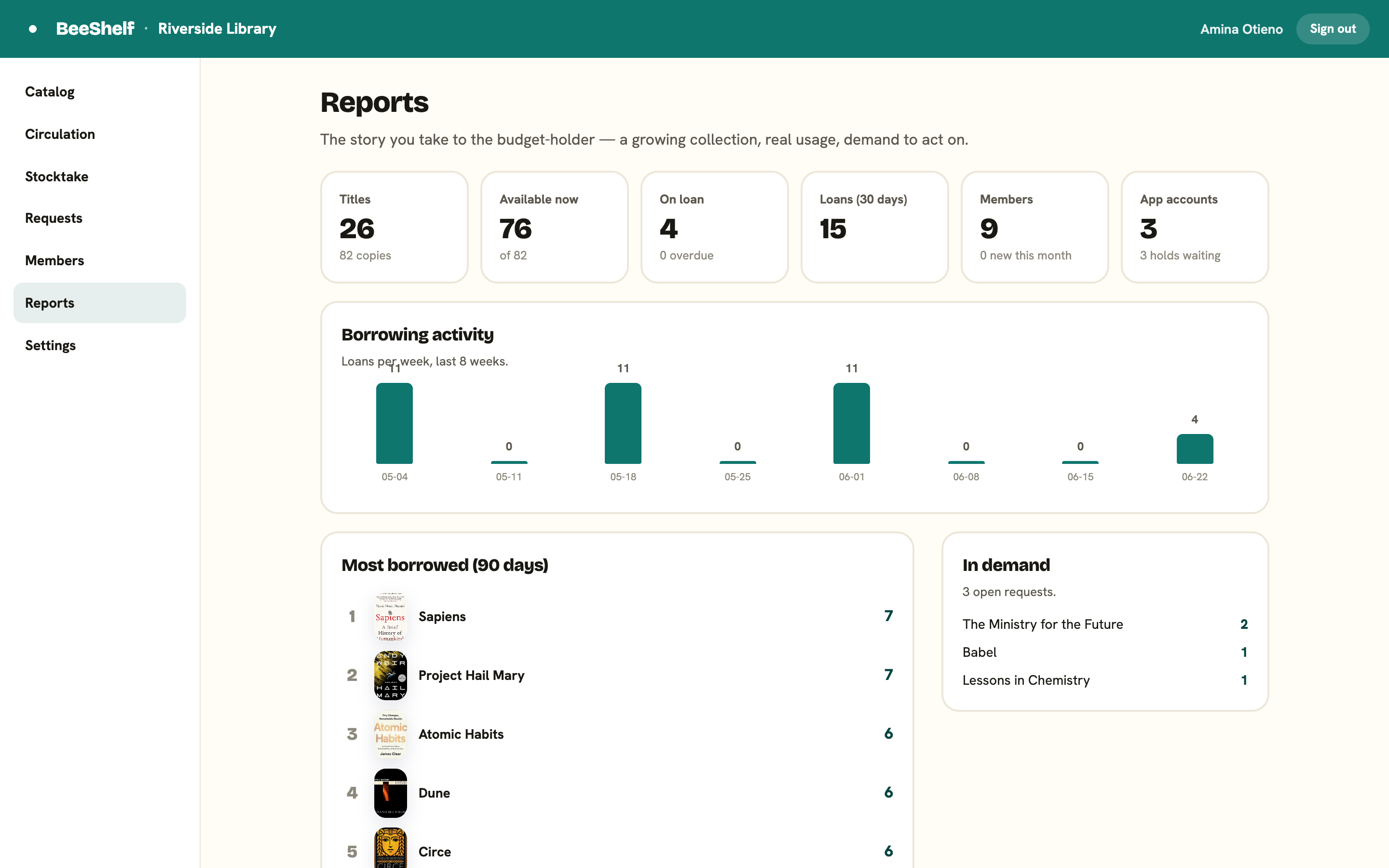
A row of cards summarises the library:
- Titles and copies in the collection.
- Available now, out of the total.
- On loan, and how many are overdue.
- Loans in the last 30 days.
- Members, and how many are new this month.
- App accounts, and holds waiting.
Borrowing activity
A small chart shows loans per week over the last eight weeks, so you can see the trend at a glance rather than reading a table.
Most borrowed and In demand
Two lists sit below:
- Most borrowed (90 days) ranks the titles your readers actually use. Useful for buying more of what works.
- In demand shows open requests with their counts, drawn from the Requests tab. This is your evidence for what to buy next.
For a full copy of everything (members, holdings, loans, holds, requests), use Export library data under Exporting your data.