For librarians
Handling requests
See what readers want, ranked by demand, and act on it from the Requests tab.
When a reader searches for a book you don’t have, they can ask you to consider it. Those asks collect on the Requests tab, ranked by how many people want each title. It turns scattered demand into a list you can take to whoever holds the budget.
The ranked list
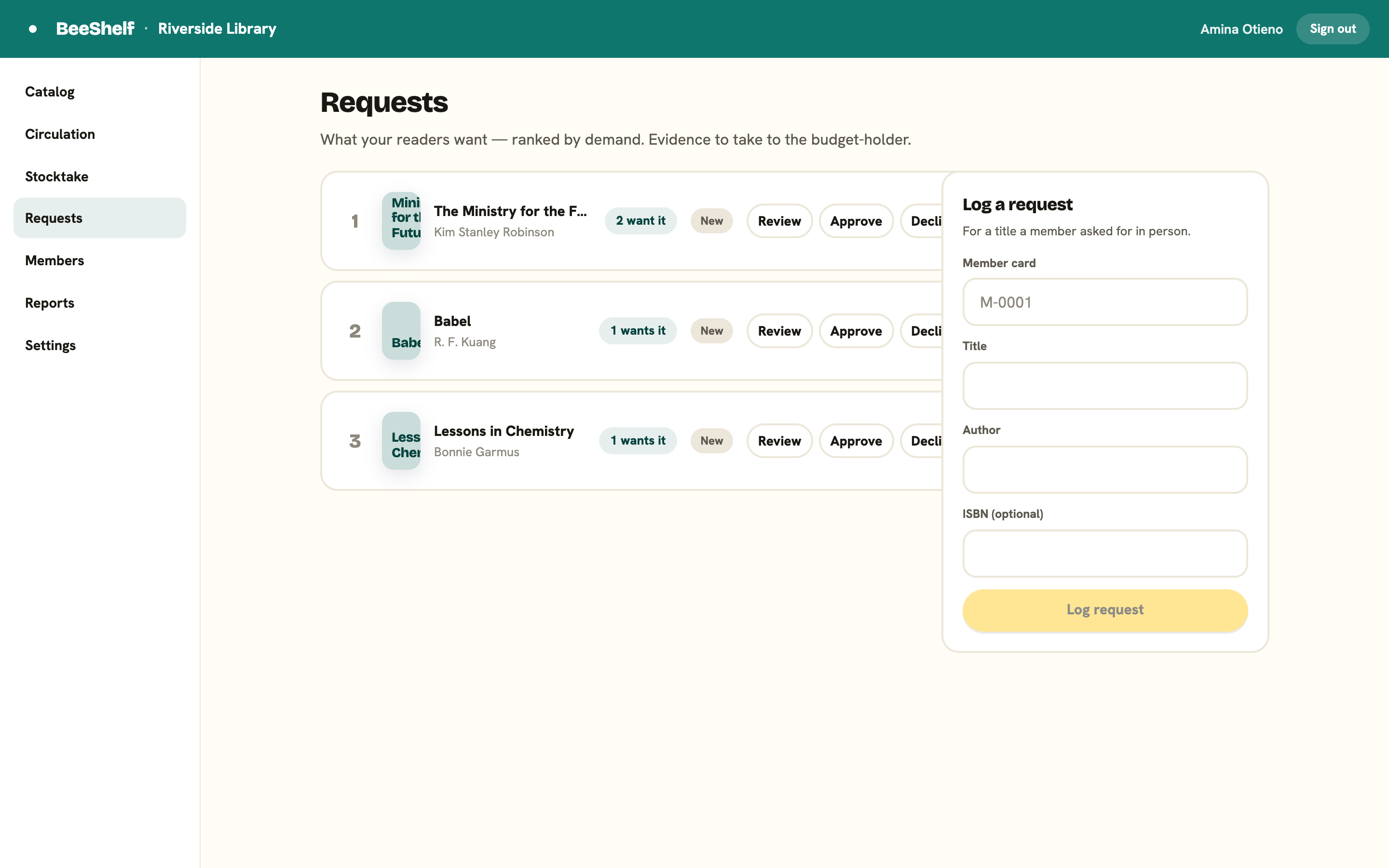
Requests are numbered by demand. Each row shows its rank, the cover, title and author, who asked (the first requester, plus a count of the rest), a badge with how many people want it, and a status. The statuses are:
- New
- Under review
- Approved
- Declined
- Acquired
Click any row to open it: Requested by (N) lists every person who asked, when they asked, and any note they left, so you can go back to a reader rather than guess at a number. Inside, a line of guidance explains what the stage means, and you get only the sensible next moves: a New request offers Approve, Start review and Decline; Under review offers Approve and Decline; Approved offers Mark acquired, Back to review and Decline; a Declined one offers Reconsider, and an acquired one Reopen. Duplicate asks for the same title collapse into one entry with a count, so you see real demand rather than noise.
When you acquire a title
Mark a request Acquired once you’ve bought and catalogued the book. Because it emails people, BeeShelf asks you to confirm first and tells you exactly how many readers will hear about it. Everyone who asked and has an email on file is notified, and the email invites them to sign in and place a hold. BeeShelf does not reserve a copy automatically, so tell a keen reader to get their hold in.
Logging a request from the desk
If a member asks for a book in person, click + Log a request at the top of the page to open the form:
- Type the member’s card number.
- Type the Title, and the Author and ISBN if known.
- Press Log request.
The form closes and the list refreshes. Their ask folds into the existing demand for that title, so an entry’s count goes up rather than a duplicate appearing. If the card number matches no one, you’ll see “No member with that card.” instead.
Once a request is approved or acquired, Add to catalogue → opens the Add flow with the ISBN or title already filled in, so you can go straight from the decision to the record. Readers can also send requests themselves from the reader app; see Requesting a book.