For admins
Privacy, retention & audit
Decide how reading history is used and kept, and see who changed what.
BeeShelf treats privacy as a feature. As an admin you set the institution’s stance in the Settings tab, and you can see a record of staff activity.
Privacy settings
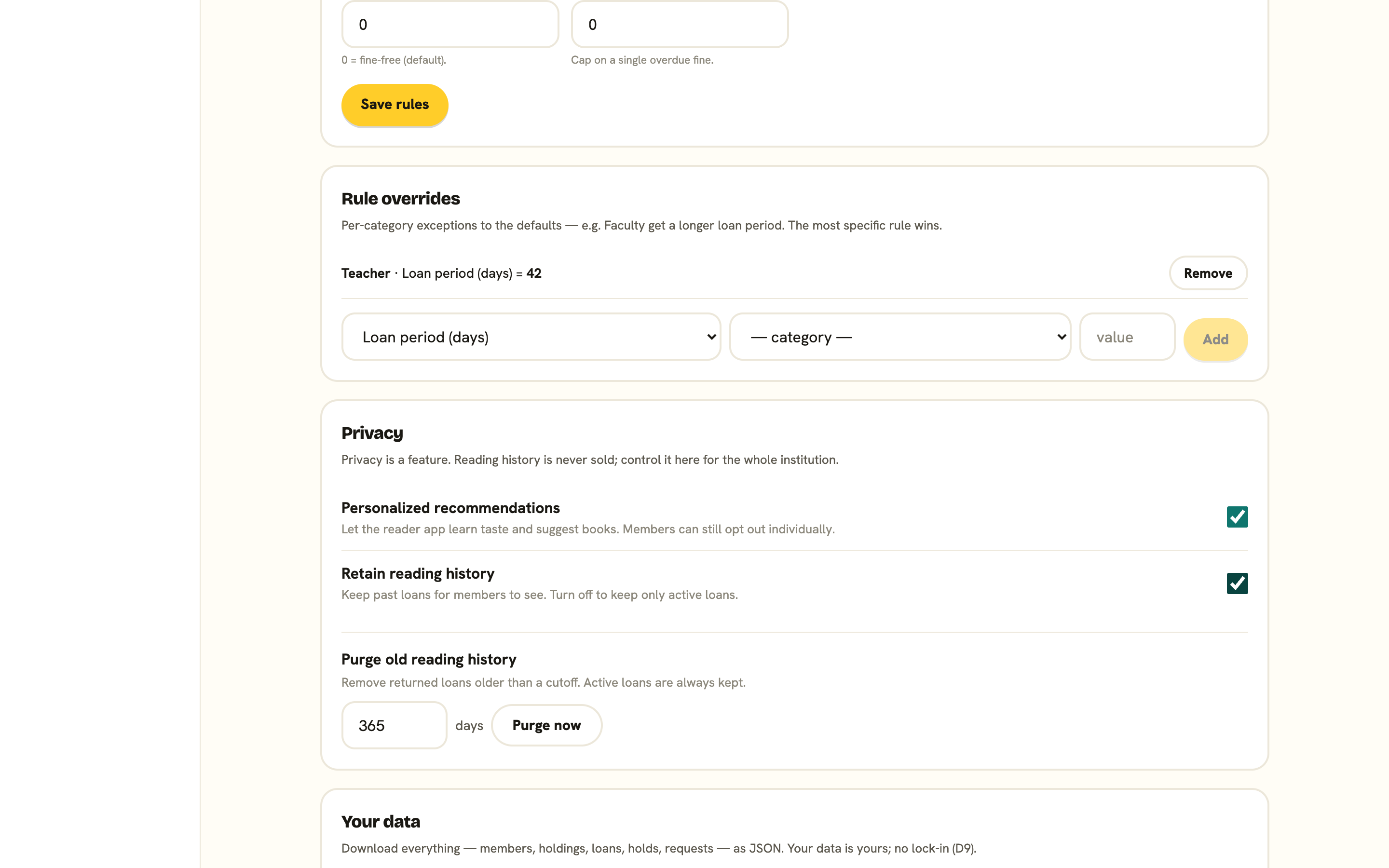
The Privacy card has three switches:
- Public catalogue: anyone can browse your shelves without signing in. Turn it off for a members-only library, and visitors see a sign-in screen instead. New libraries start private, so this is the switch that opens your catalogue to the public.
- Personalized recommendations: let the reader app learn taste and suggest books. With it on, members can still opt out individually. Turn it off, and the whole library runs on popularity instead, with no behavioural tracking at all. This suits schools that prefer no profiling of pupils.
- Retain reading history: keep members’ past loans so they can see their history. Turn it off to keep only active loans.
Purge old history
Below the switches, Purge old reading history removes returned loans older than a cutoff you choose, while always keeping active loans.
- Enter a number of days (it starts at 365).
- Press Purge now.
- Confirm when asked. The purge is permanent and can’t be undone from the app, so export first if you want a copy.
You’ll see how many returned loans were removed. This is a good fit for a data-minimisation policy: keep recent history useful, clear the old.
How readers join
The public catalogue switch decides who can see your shelves. A separate card in Settings, How readers join, decides who can create a reader account. Pick a mode from the Joining dropdown and press Save.
- “Open: anyone can join”: a reader signs up and can borrow once they confirm their email.
- “Approval required”: anyone can ask to join, but they wait for a librarian. After signing up they’re told their request is in, and they get an email when you approve.
- “Email-domain allowlist”: people at an allowed domain join automatically. Everyone else is not turned away, they just land in the approval queue instead.
- “Staff-only: no self sign-up”: the sign-in page doesn’t offer to create an account at all. You add readers yourself or import a roster.
New libraries start on “Approval required”, so nobody joins without your nod.
Filling in the allowlist
Choosing the allowlist mode reveals an Allowed email domains field. Type the domain part of the address, without the @: school.edu. List several separated by commas. A leading @ is tolerated, but each entry needs a dot in it and no spaces, or it’s dropped when you save.
Each domain is matched exactly. Listing school.edu will not let in pupil@students.school.edu, so add every subdomain you want on its own. An address that matches nothing isn’t rejected: it goes to Awaiting approval on the Members screen, where you approve or decline it.
The email gate
Separately from all this, a reader with an unconfirmed email address can browse everything, but can’t place holds or use self-checkout until they click the link in their confirmation email (they can resend it from their account). Signing in with Google satisfies this on the spot, because Google has already confirmed the address.
The activity log
The Activity tab is its own admin-only page, next to Settings in the sidebar. It records who changed what: catalogue and holdings changes, members added or edited, team changes, settings updates, and data actions such as exports and purges. Each entry shows the action, who did it, and when. Search by person, action or detail, filter by area, and read entries grouped by day. It’s there for accountability, so changes are never anonymous.
For getting a full copy of your data out, see Exporting your data.